
Playbook results
Satori-CI is an automated testing platform that executes Playbooks to validate conditions. After a Playbook is run, the platform generates a report indicating the result of the test, we deliver a report either a Pass or Fail.
You can view and manage your test reports using either the command line interface or on the web.
Listing Reports
To list all your reports from the command line, use the following command:
satori-v2 reports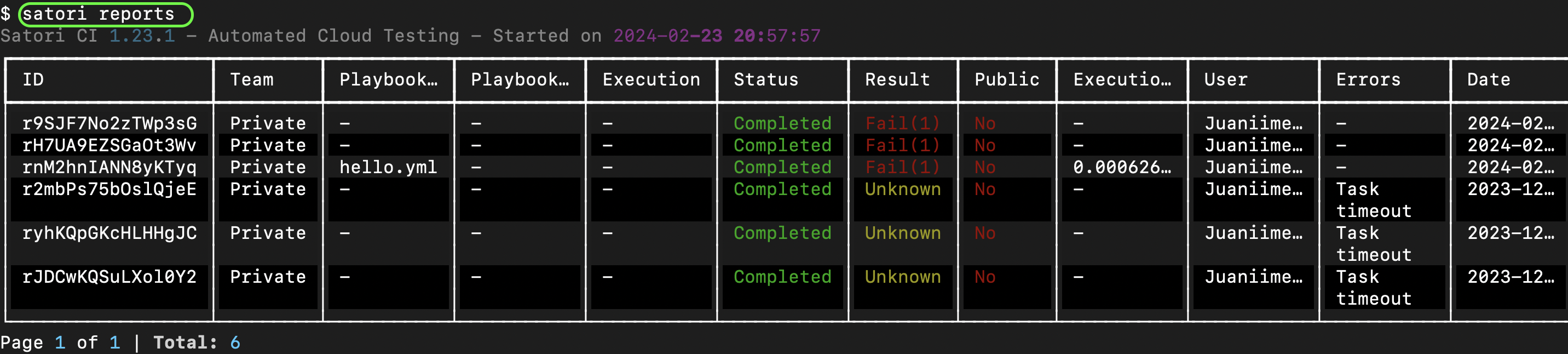
You can also view your reports on the Satori-CI website at:
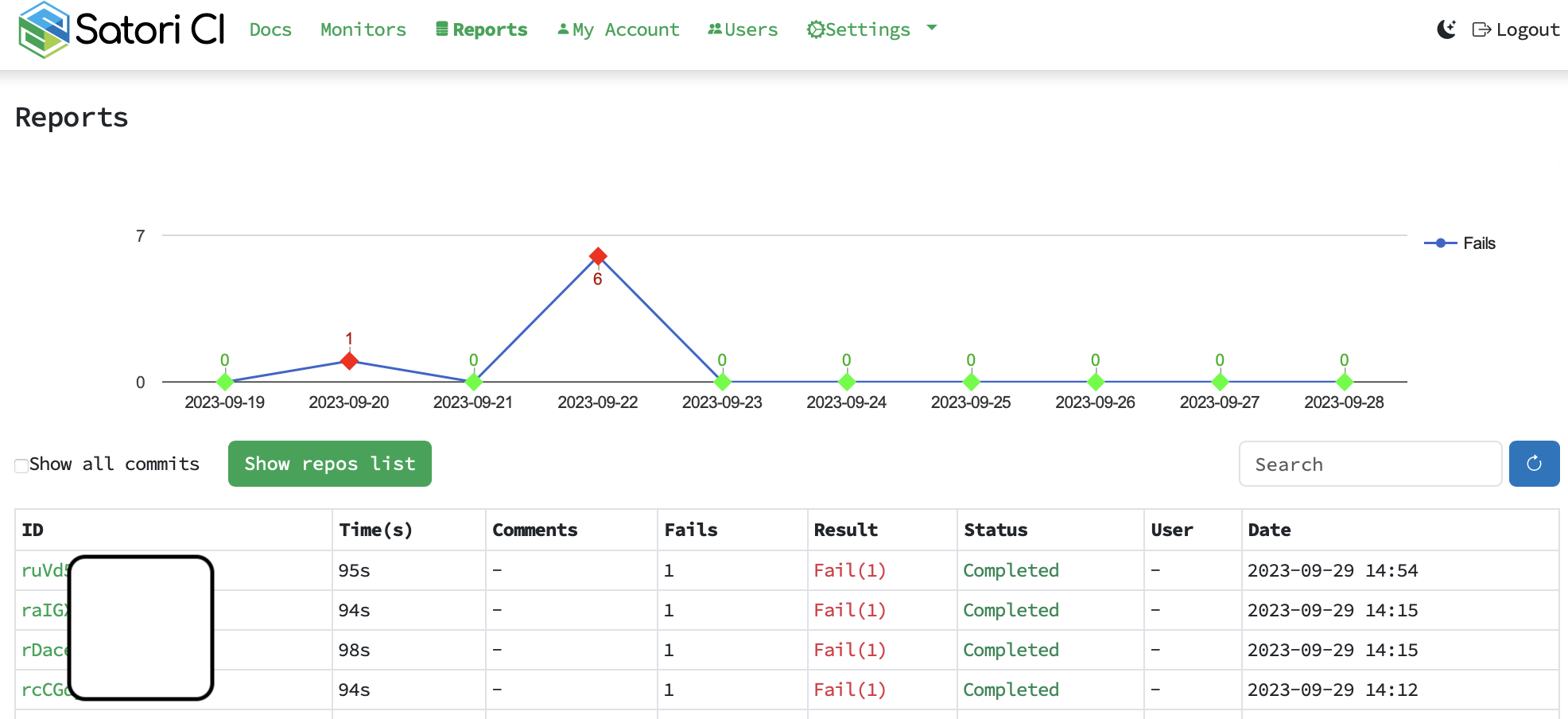
Both methods allow you to obtain the report IDs, which you can use to view single report.
In CLI v2 a report is the result of an execution. Executions belong to a job (a run, scan, monitor or local execution). You can list the executions of a single job by passing its ID, and filter by execution status:
satori-v2 reports JOB-ID
satori-v2 reports --status RUNNING
satori-v2 reports --public --json
--status accepts FINISHED, CANCELED, RUNNING or QUEUED. See Jobs, Executions & Output for the full job/execution model.
Filtering Reports
You can filter your reports using various parameters to narrow down the results with satori-v2 reports search:
| Filter | Description |
|---|---|
--job-type {RUN|SCAN|MONITOR|GITHUB|LOCAL} | Filter by the type of job that produced the execution |
--job-id ID | Filter by job ID |
--id-gt ID | Executions created after execution ID |
--id-lt ID | Executions created before execution ID |
--global | Include public executions from other accounts |
--status {FINISHED|CANCELED|RUNNING|QUEUED} | Filter by execution status (repeatable) |
--visibility {PUBLIC|PRIVATE|UNLISTED} | Filter by report visibility |
--from DATETIME | Executions created after this ISO datetime (e.g. 2026-01-31 or 2026-01-31T10:00:00) |
--to DATETIME | Executions created before this ISO datetime |
--report-status {PASS|FAIL} | Filter by report result |
--severity {0-5} | Filter by output severity (0 Blocker … 5 Info) |
--playbook URI | Filter by playbook |
--q TEXT | Free text search |
-t, --tag TAG | Filter by tag (repeatable) |
These parameters can be used to check and filter specific reports that you are looking for.
- Example: "I want to see all failed reports of my scans"
satori-v2 reports search --job-type SCAN --report-status FAIL- Example: "I want to see a list of reports related to the playbook trufflehog"
satori-v2 reports search --playbook satori://code/trufflehog- Example: "I want to see the running executions of the job 4f9Kq2LmZ8xRt1VbN7cYd"
satori-v2 reports search --job-id 4f9Kq2LmZ8xRt1VbN7cYd --status RUNNINGThe same filters are accepted by satori-v2 reports download, satori-v2 reports stop, satori-v2 reports delete and by the top-level satori-v2 search command, which lets you act on everything that matches (download outputs, download reports, stop or delete). On satori-v2 search you can also pass --notify slack://WORKSPACE:CHANNEL, --notify email://user@example.com, --notify discord://CHANNEL, or --notify telegram://CHAT_ID to send the current page of results. See Jobs, Executions & Output and Search notify.
On development
The v1 filters --repo, --result, --monitor, --execution and playbook-type are not available in CLI v2. Use --job-type, --job-id and --report-status instead. The v1 syntax is kept here for reference:
satori-v2 reports search --repo "satorici/*" --result failPagination
When dealing with a large number of results, such as reports, repositories, or monitors, we provide a pagination system to help you navigate through the data more efficiently. To access additional pages, use the --page X option, where X represents the page number you want to view, and -q X (--quantity, also -l/--limit) to set how many results are shown per page (default 10).
satori-v2 reports --page 2 -q 20Viewing a Single Report
To view a specific report, specify the report ID as follows:
satori-v2 report REPORT_ID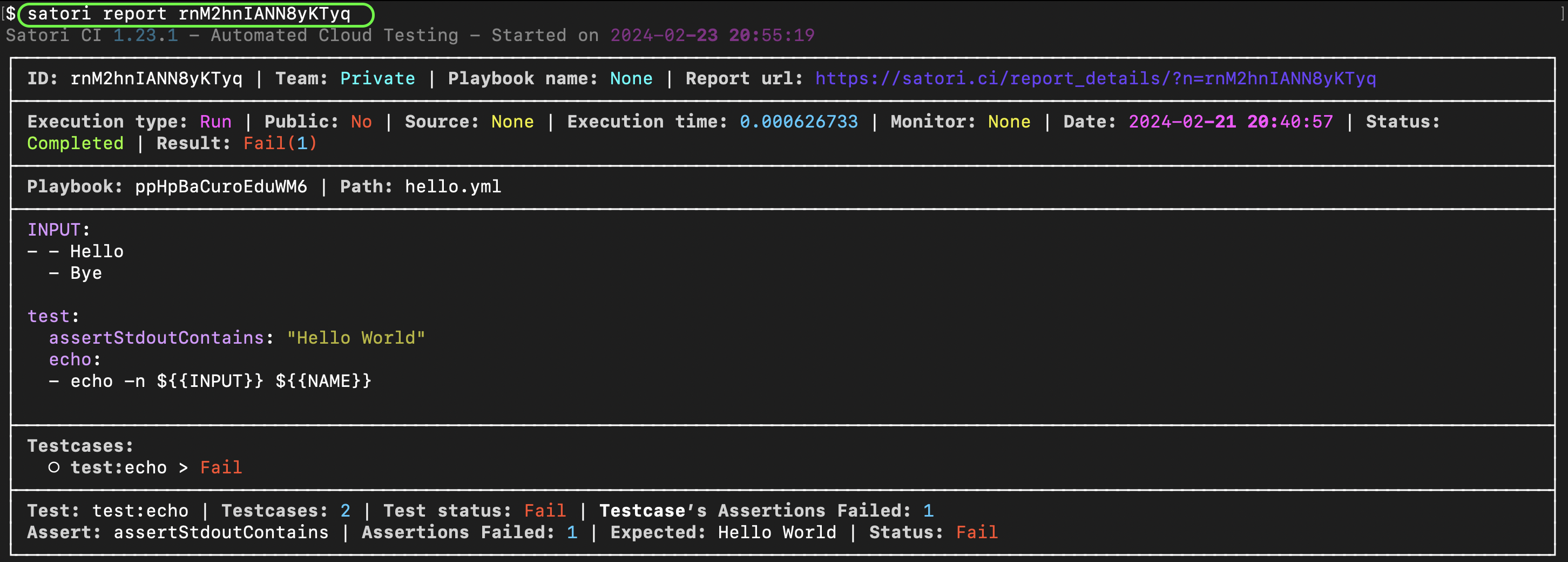
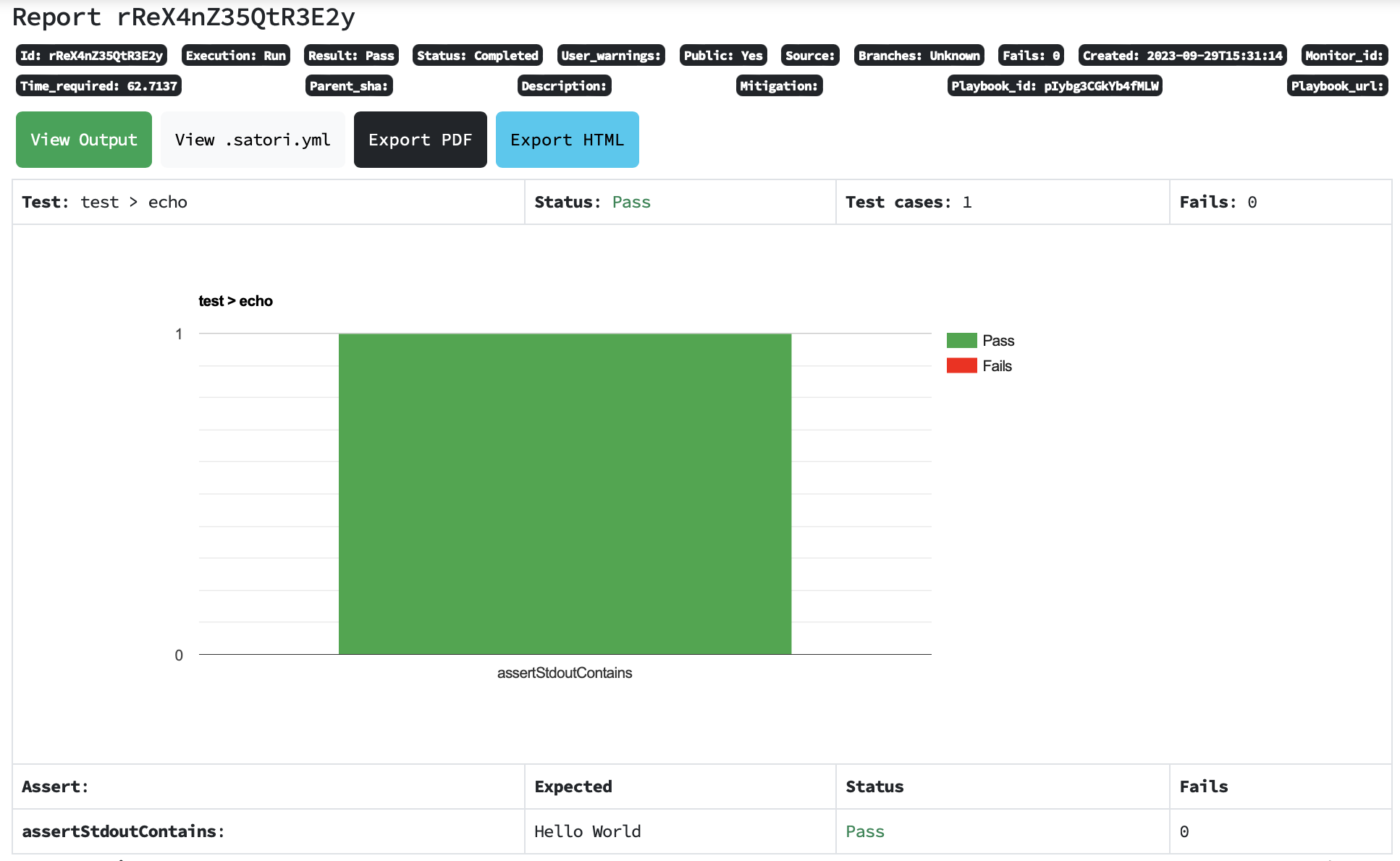
Or on the web:
Command output
This displays a summary of the execution data along with the command output and assertions applied.
satori-v2 report REPORT_ID outputOr on the web:
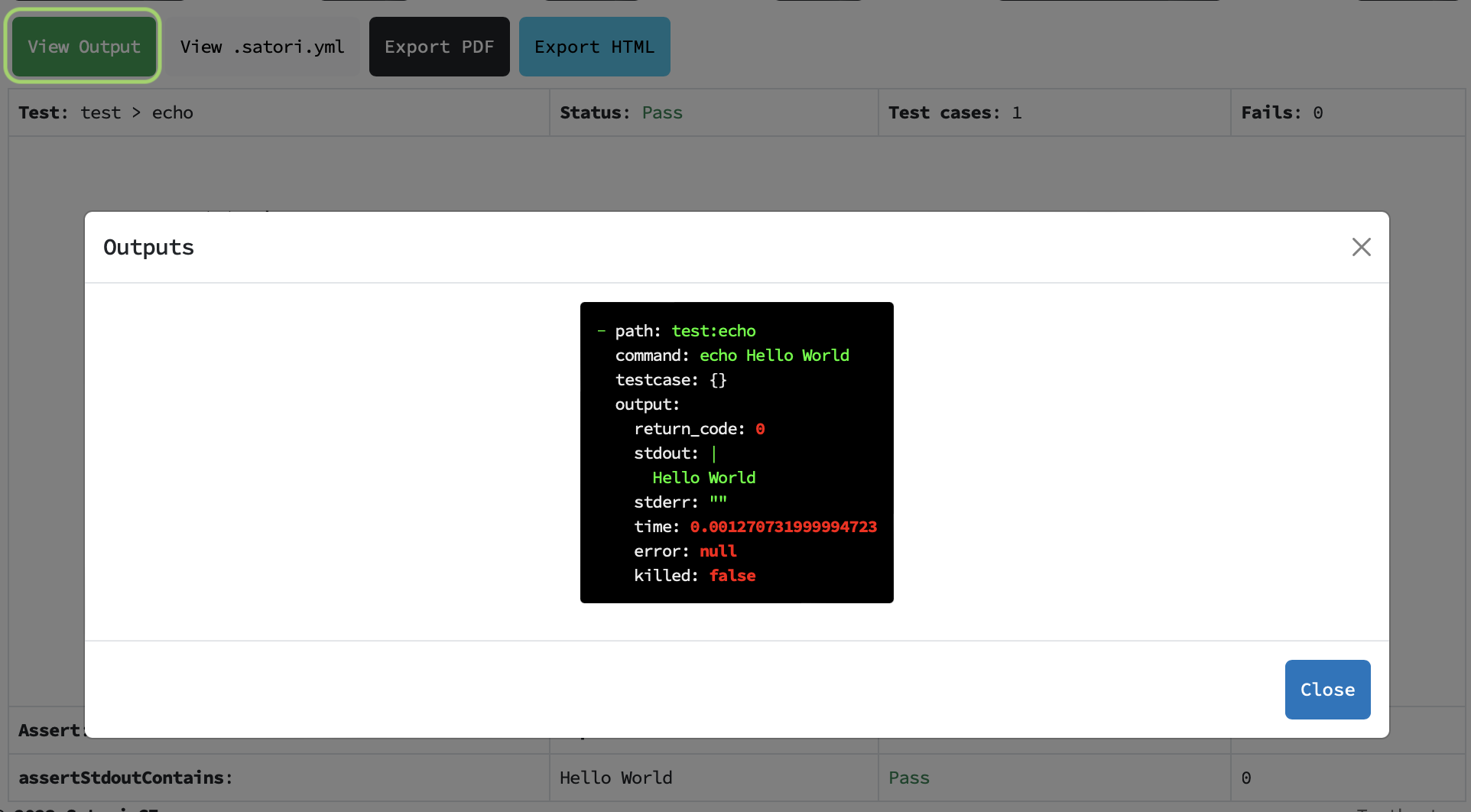
The same output is available with the shorter satori-v2 output REPORT_ID command, which also supports --raw to pipe the encoded results to stdout. See Jobs, Executions & Output.
Issues
Failed asserts and tool hits (semgrep, pyspector, etc.) can be listed as issues, sorted by severity. List all of them, or limit to one report:
satori-v2 issues
satori-v2 issues REPORT_ID
satori-v2 report REPORT_ID issues
issues REPORT_ID and report REPORT_ID issues are equivalent. Issues can be filtered (--status, --source, --severity, --order), triaged with issue ISSUE-ID status, commented on with issue ISSUE-ID comment, and turned into a draft GitHub security advisory with issue ISSUE-ID advisory (then --publish); see Issues.
Configuring Report Visibility
You can configure the visibility of your results report with four settings to manage who can view it:
private: accessible only to the owner or specifically permitted users.contributors: accessible to the owner and to the GitHub contributors of the repository the report ran on. See Sharing with contributors.unlisted: not listed anywhere, but any logged-in user with the direct link can open the report. This visibility is useful for sharing specific results without making them public.public: open access, visible to all users without restrictions.
To set the visibility of a report, use the following command and specify the visibility level:
satori-v2 report REPORT_ID visibility [private|contributors|unlisted|public]These configurations provide flexible control over report access, allowing you to choose the visibility level that best suits your sharing needs.
Sharing with contributors
contributors is for a report you want the people who work on a repository to see, and nobody else.
- A contributor is an account GitHub lists as a contributor of the repository, that is, someone with commits in it. Satori reads GitHub's public list and refreshes it about once an hour, so a new contributor can take up to an hour to get access.
- The contributor opens the report's link while logged in to Satori with that GitHub account. Without a login the link asks them to log in; to anyone else the report doesn't exist.
- A contributor reads the report, its output, files and playbook. They don't see it in their own listings or its issues, and can't change, stop or delete it.
- It applies to reports and to advisories, not to jobs. The report must have run on a single public GitHub repository. For a private repository, or a report without one (a monitor, for example), the command fails.
An unlisted link can't be guessed. Report, job, issue and advisory IDs are random 21-character strings of letters and digits (for example V1StGXR8Z5jdHi6BmyT2k), so nobody can reach an unlisted report by trying IDs in sequence. Treat the link like a password: anyone logged in who has it can open the report. To revoke access, set the report back to private.
The IDs are opaque: they carry no order, so don't sort or compare them. Old links with numeric IDs (such as /reports/42) no longer work.
Downloading Files
If your execution generates files, you can download them using the CLI:
satori-v2 report REPORT_ID filesAdvanced Report Command Options
The satori-v2 report command provides several options for viewing and managing execution results.
Output Formatting
| Flag | Description | Example |
|---|---|---|
--json | Print the report as JSON | satori-v2 report ID --json |
--format {json|md} | Set output format (JSON or Markdown) | satori-v2 report ID output --format md |
--test TEST_NAME | Filter output for specific test (repeatable) | satori-v2 report ID output --test my_test |
--unredacted | Show unredacted parameters and secrets (on development) | satori-v2 report ID --unredacted |
On development
--unredacted is not available yet in CLI v2. The v1 syntax is kept here for reference.
Issues
List the issues (failed asserts and tool hits) of a report, sorted by severity:
| Command | Description | Example |
|---|---|---|
issues | List the issues of the report | satori-v2 report ID issues |
issues --json | List the issues as JSON | satori-v2 report ID issues --json |
The same list is available as satori-v2 issues ID. To create a draft GitHub security advisory from an issue use satori-v2 issue ISSUE-ID advisory, then publish it with --publish (see Issues).
GitHub Issue Creation
On development
satori-v2 report ID issue TEMPLATE_ID [--query --title] is not available yet in CLI v2. The v1 syntax is kept here for reference. In v2, use satori-v2 issue ISSUE-ID advisory to create a draft GitHub security advisory from an issue, then --publish to publish it.
Create GitHub issues directly from report results:
| Flag | Description | Example |
|---|---|---|
issue TEMPLATE_ID | Create issue using template (on development) | satori-v2 report ID issue template_123 |
--query "SEARCH" | Filter with search query (on development) | satori-v2 report ID issue template_123 --query "critical" |
--title "TITLE" | Override issue title (on development) | satori-v2 report ID issue template_123 --title "Security Issue" |
Report Management
| Command | Description | Example |
|---|---|---|
status | Get report execution status (on development) | satori-v2 report ID status |
stop | Stop the report while it is running | satori-v2 report ID stop |
delete | Delete report | satori-v2 report ID delete |
visibility VALUE | Set report visibility (PUBLIC, PRIVATE, UNLISTED, CONTRIBUTORS) | satori-v2 report ID visibility unlisted |
files | Download the files generated by the execution | satori-v2 report ID files |
On development
satori-v2 report ID status is not available yet in CLI v2. The v1 syntax is kept here for reference. In v2 the status is shown by satori-v2 report ID.
To stop a running report, use satori-v2 report ID stop. Stopping is asynchronous: the report moves to CANCELED once its container is torn down, so check it with satori-v2 report ID. To stop every running report of a job at once, use satori-v2 search --job-id JOB-ID --stop (see Jobs, Executions & Output).
Complete Examples
View report output in Markdown format:
satori-v2 report V1StGXR8Z5jdHi6BmyT2k output --format mdView specific test output with unredacted secrets (on development):
satori-v2 report V1StGXR8Z5jdHi6BmyT2k output --test integration_test --unredactedList the issues of a report and create a GitHub advisory from one of them:
satori-v2 report V1StGXR8Z5jdHi6BmyT2k issues
satori-v2 issue ISSUE_ID advisory
satori-v2 issue ISSUE_ID advisory --publish
satori-v2 advisories
satori-v2 advisory ADVISORY_ID
satori-v2 advisory ADVISORY_ID visibility private
Create GitHub issue from report (on development):
satori-v2 report V1StGXR8Z5jdHi6BmyT2k issue template_123 \
  --query "severity:critical" \
  --title "Critical Security Vulnerability Found"
Filter multiple tests:
satori-v2 report V1StGXR8Z5jdHi6BmyT2k output \
  --test unit_tests \
  --test integration_tests \
  --format md
These advanced options give you fine-grained control over how you view and share execution results.